Mark a clue as a Daily Wager
You choose the exact clue that will contain the Daily Wager. Buzzinga does not place one randomly.
- Go to the Buzzinga homepage and edit the board you want to update.
- Select the round containing the clue.
- Open the clue in the board editor.
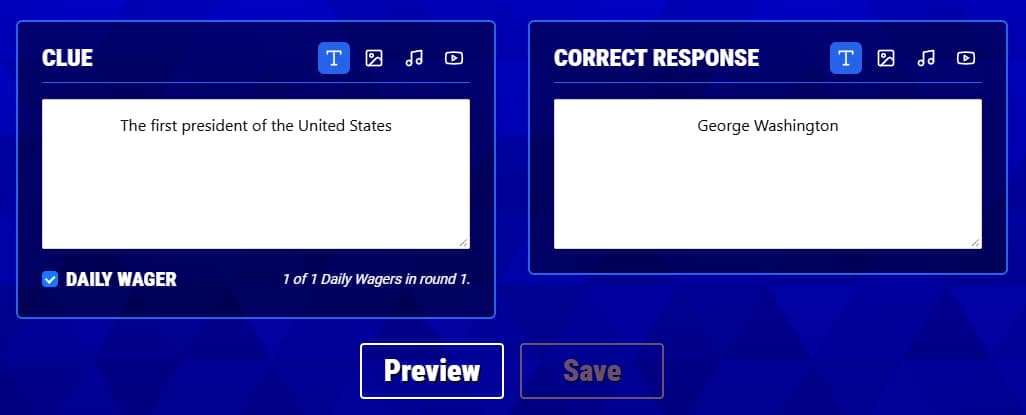
- Turn on Daily Wager below the clue fields.
- Click Save.
The clue will show a DW badge in the editor so you can identify it without opening it again. You can mark more than one clue in a round; the clue editor shows the current number of Daily Wagers in that round.
How wagering works
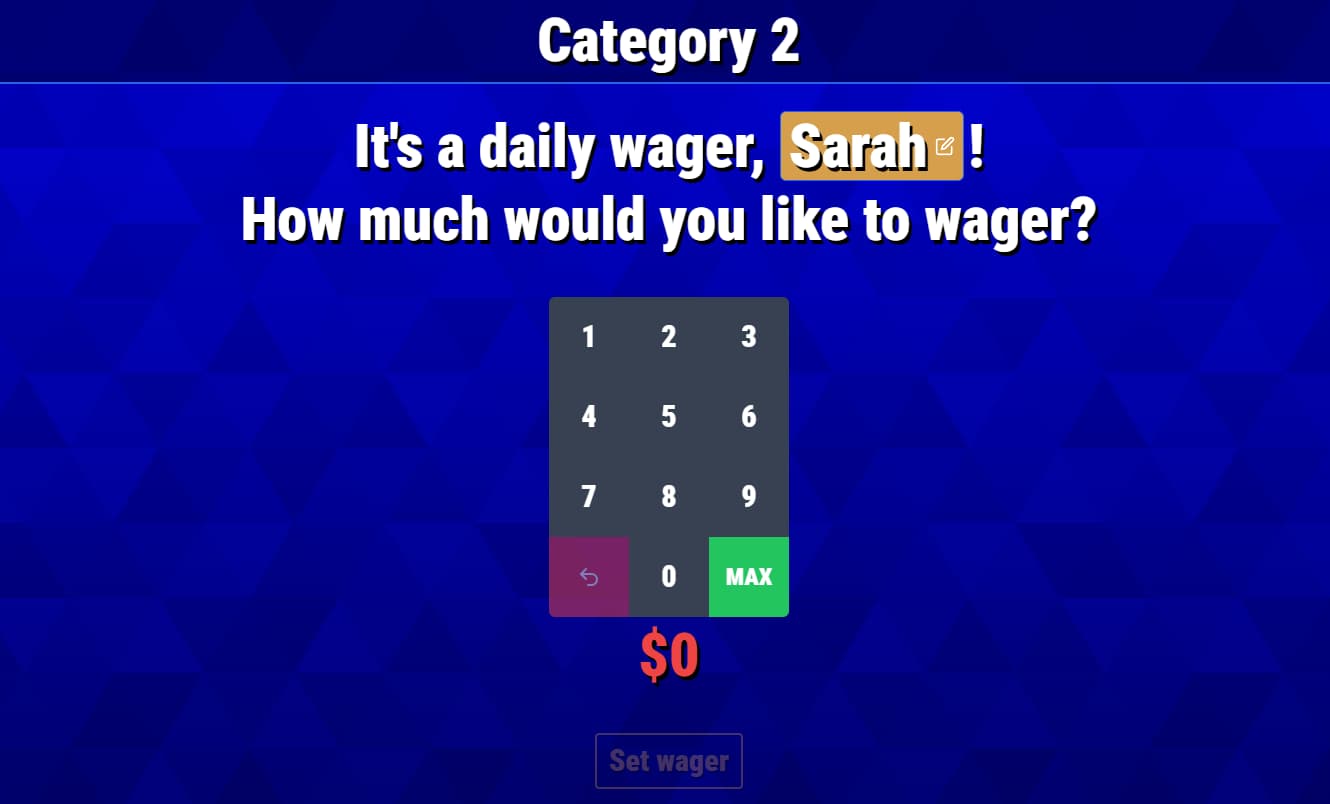
You do not set a wager amount while creating the board. After the Daily Wager is found, the player or team tells the host how much they want to wager. The host enters that amount before revealing the clue.
The minimum wager is 5 points. The maximum is the greater of:
- The player or team’s current score
- 1,000 points in Round 1, 2,000 in Round 2, or 3,000 in Round 3
This means a player or team with a low or negative score can still wager up to the round maximum.
Set an optional countdown
Open Game Settings and find Daily Wager Countdown to choose how long the player has to respond after the clue is revealed. Set the countdown to 0 if you do not want a time limit.
What happens during the game
- The host opens the clue marked as a Daily Wager.
- Buzzinga identifies the player who currently has control. In a team game, the wager uses that team’s score.
- The player or team tells the host how much they want to wager.
- The host enters the amount from the Audience View in Standard mode or from the private Host Controller in Host Controller mode.
- After the wager is submitted, Buzzinga reveals the clue and starts the Daily Wager countdown if one is configured.
- The host marks the response correct or incorrect. A correct response adds the wager to the player or team’s score; an incorrect response subtracts it.
Only the selected player or team answers a Daily Wager, so the regular buzzers are not used for that clue. Daily Wagers are always scored using the wager, even if your settings do not normally deduct points for incorrect responses.
Test the clue
Preview the board before hosting and open each Daily Wager clue. Confirm that the wager prompt appears before the clue and that any image, audio, or video works after the wager is submitted.
If you use teams, the Host Controller, or a Daily Wager countdown, test with those same settings so you know where the host’s wager controls will appear during the event.